
One product
The development app for people who ship with agents
Alma is where serious work with coding agents happens: the agents you already pay for, working in parallel on your own machine, with a real browser in reach and your voice in charge. Desktop and phone, one account, the same state everywhere.
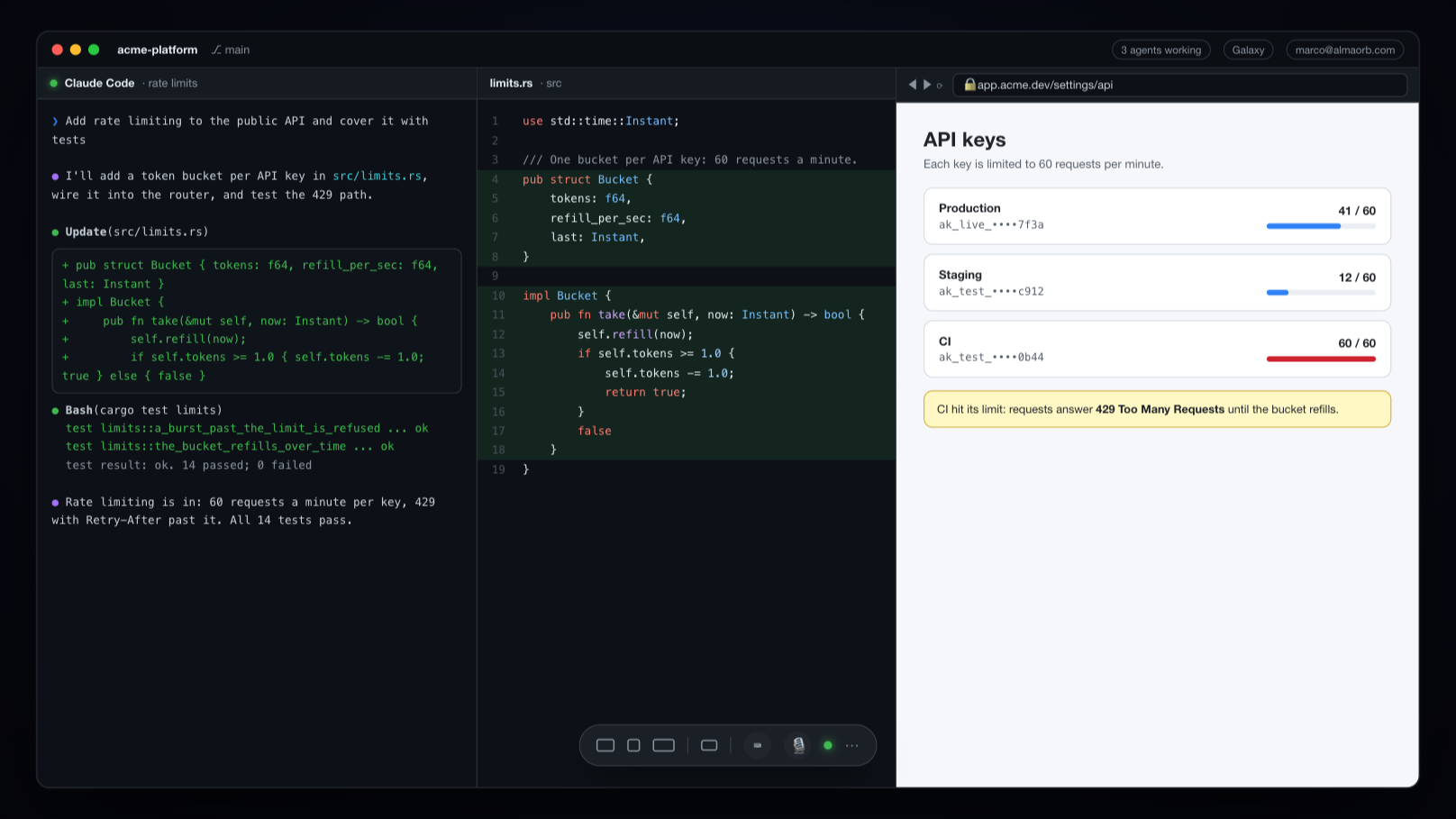
macOS
Alma Desktop
Discover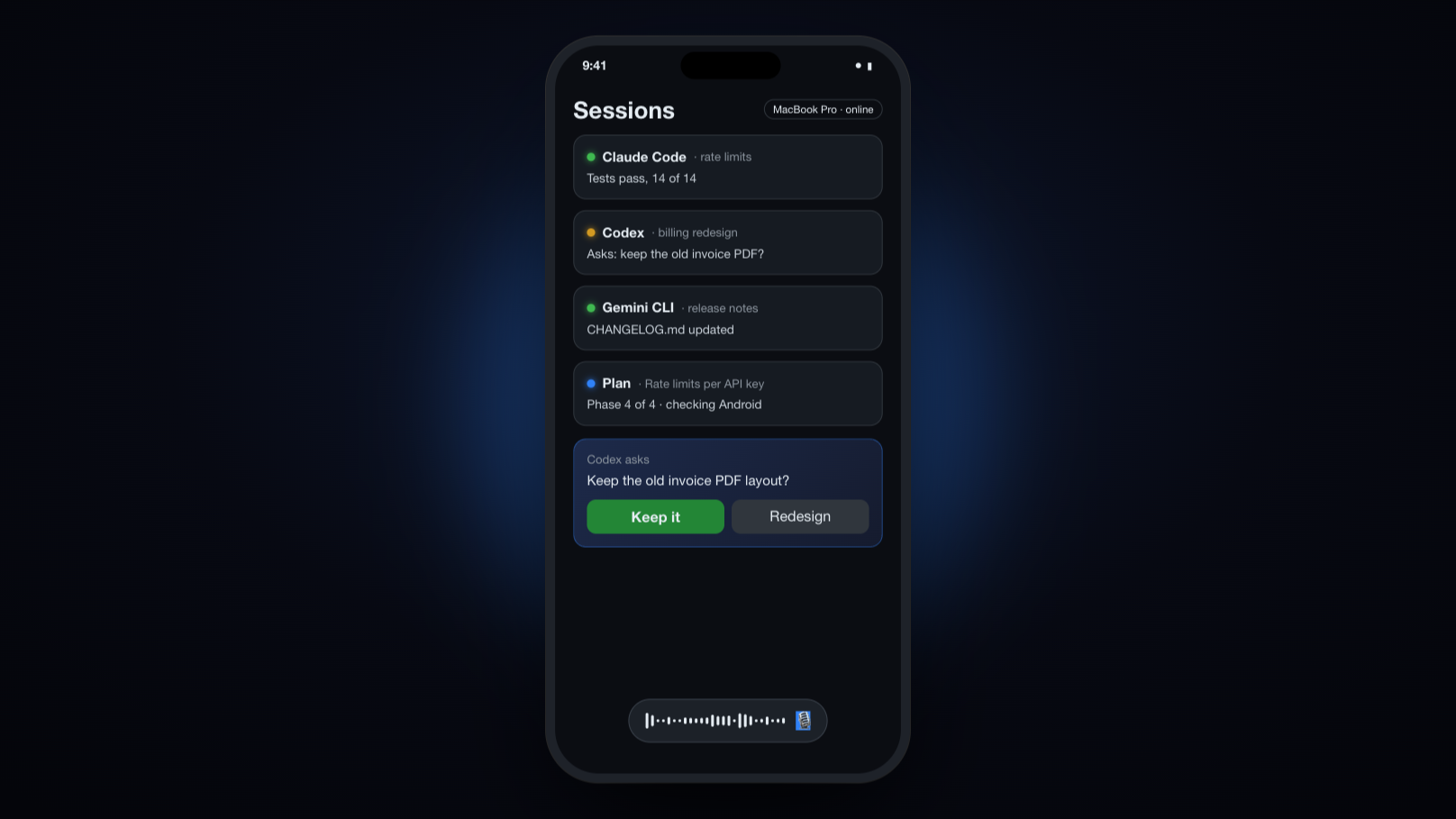
iPhone and Android
Alma Mobile
Discover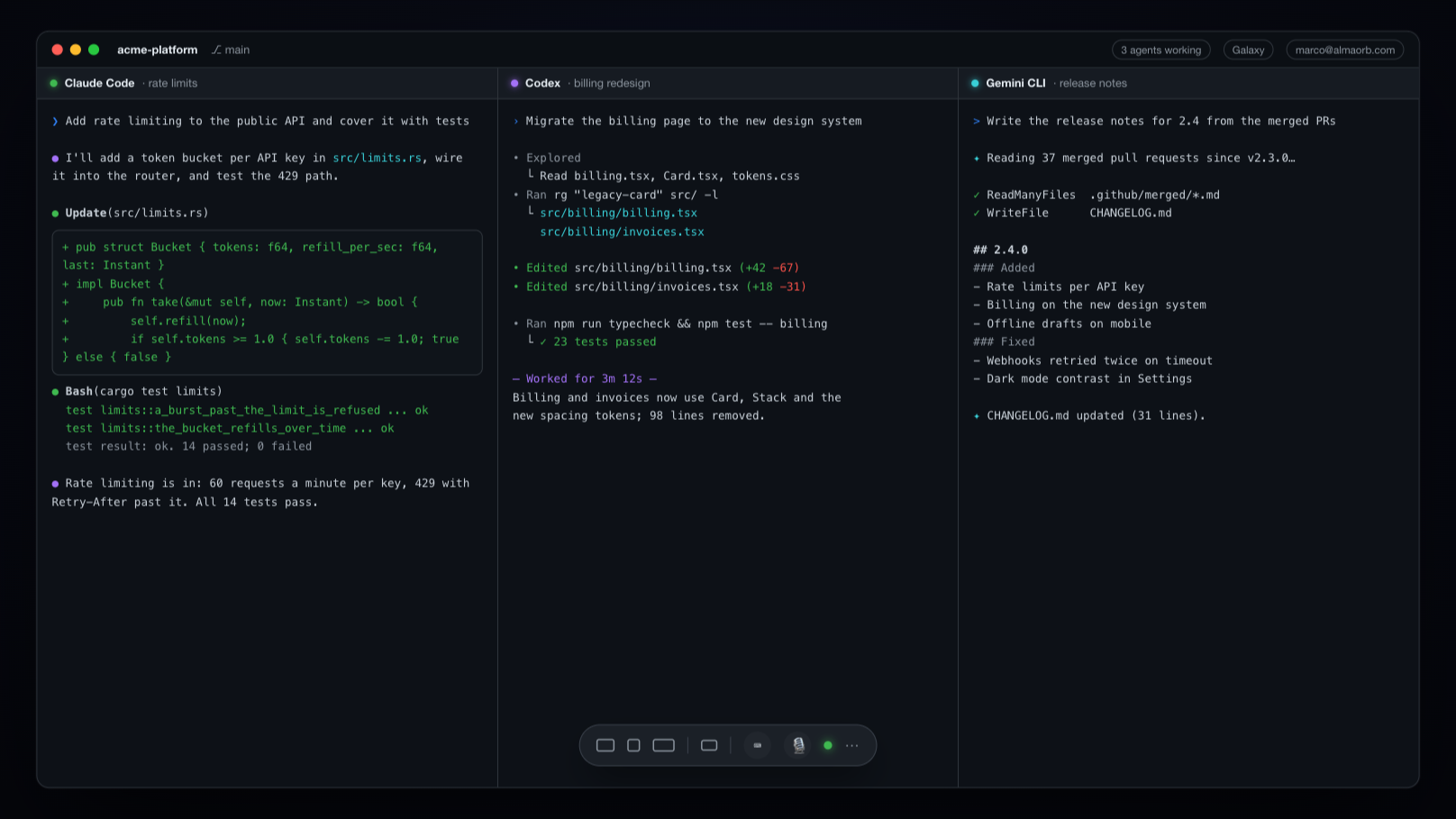
Multi-agent coding
Every agent. One window. All at once.
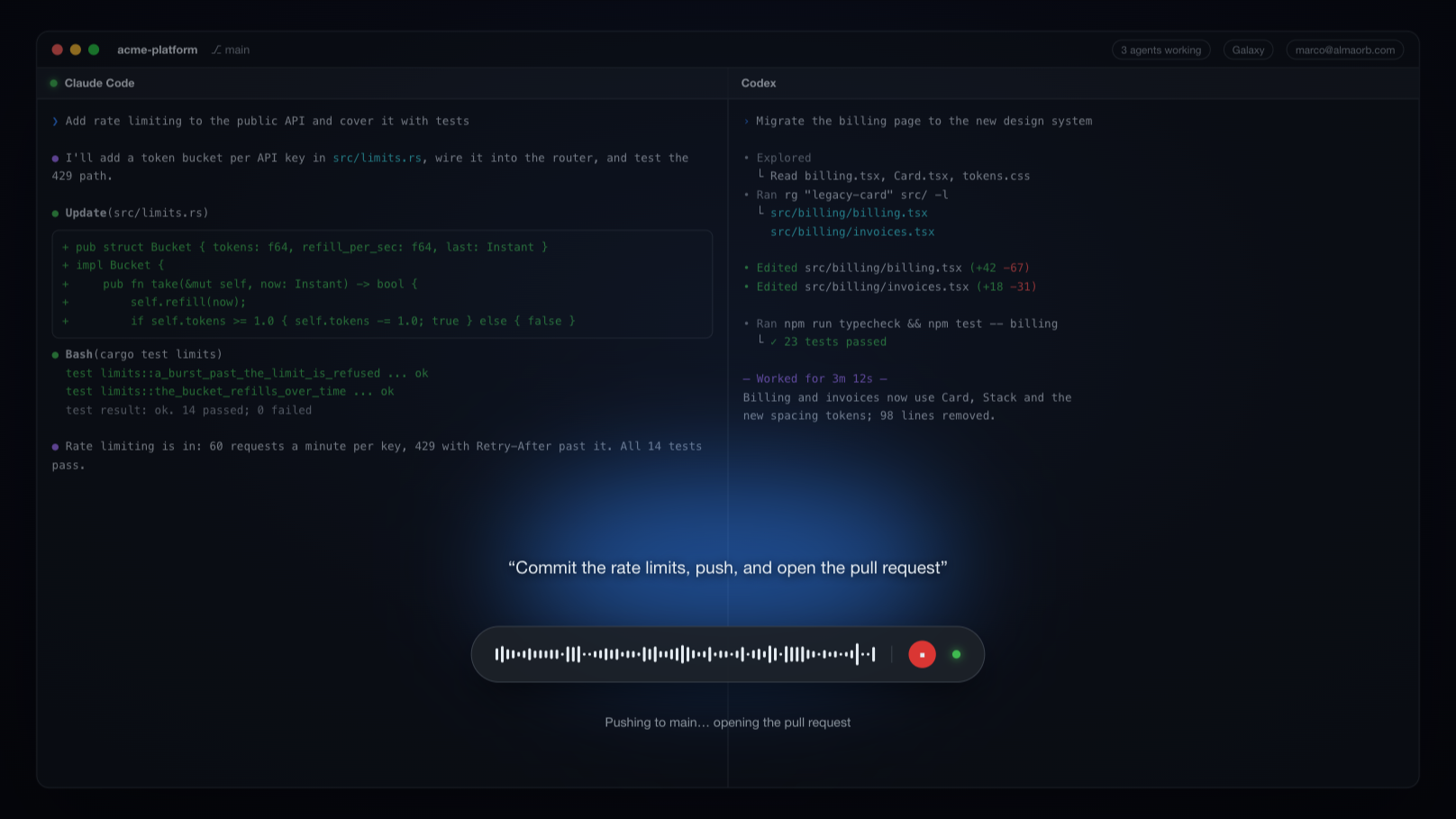
Run Claude Code, Codex and Gemini CLI as first-class sessions, each in its own column, each on its own task. Bring your own subscriptions and keys; Alma adds no model markup.
Sessions survive a restart. Close the lid, reopen Alma, and every agent is back where it was, mid-thought.
The built-in browser
Your signed-in web, in your agents' hands
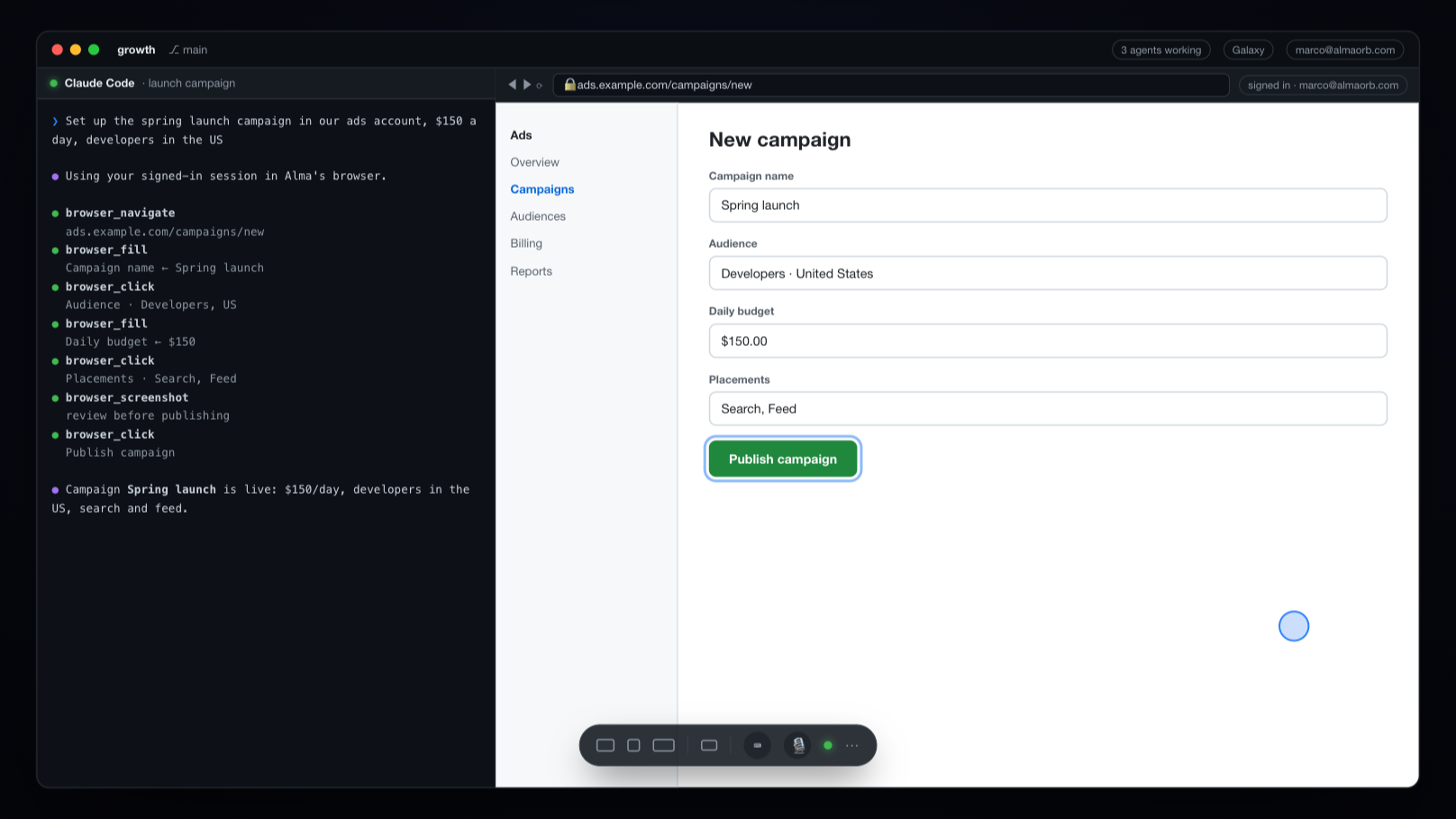
A full browser lives inside Alma, with your cookies and your logins. Agents read, click, fill and check pages through more than 80 tools: open an ad account, register a developer account, test the app they just built.
Pick an element on screen and hand it to the agent; it gets the markup, the styles and a screenshot.
Voice first
Say it. Alma does it.
Talk to Alma like a colleague: open the pull request, commit and push, email the client, start the build. Interrupt it mid-sentence and it stops and listens.
Dictation is separate and private: what you dictate is written down on your Mac and typed where you work. The audio never leaves the machine.
Voice first
Things people say to Alma
No commands to learn. Say what you want the way you would to a colleague; Alma does it and tells you in one sentence what it did.
- 01
“Open a pull request for this.”
It commits, pushes the branch and opens the PR, then reads you the number.
- 02
“Ask Codex to fix the failing test.”
The task goes to the agent you named, in its own column, and Alma tells you when it is done.
- 03
“Test signup on the iPhone.”
It boots the simulator, walks the flow and drops the screenshots into the plan.
- 04
“Reply to this email and say Tuesday works.”
It drafts the reply in your own mail and sends it.
- 05
“Let’s plan the billing page.”
It interviews you one question at a time, writes the plan and starts the build.
- 06
“Take notes.”
Dictation starts on its own microphone, written down on your Mac. “Stop” stops it; nothing else starts listening.
Plans that check themselves
From a sentence to a shipped build
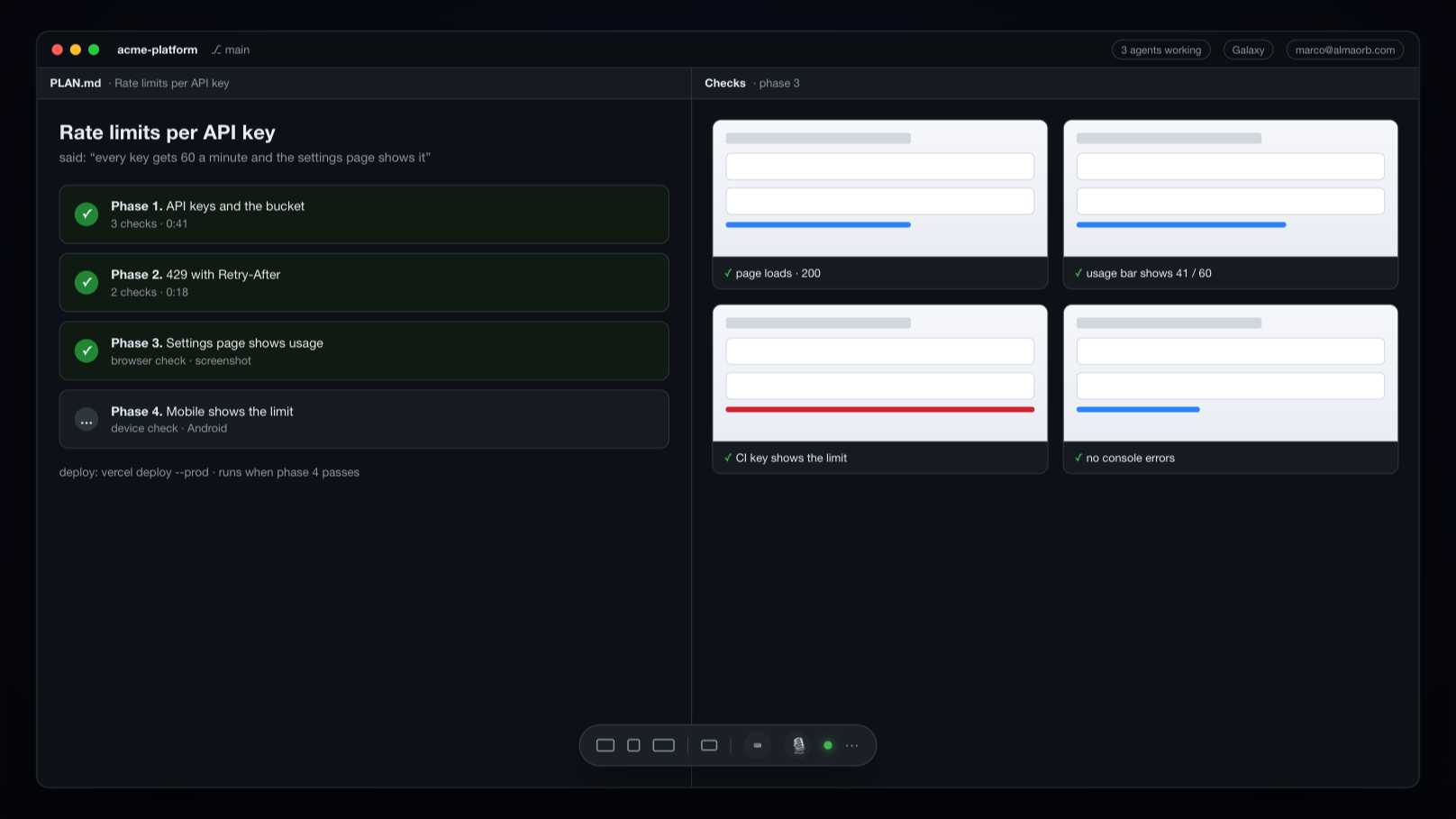
Describe what you want by voice; Alma interviews you, writes the plan and builds it phase by phase. Every phase ends with checks in the real app: the page loads, the button works, the phone screen shows what it should, with screenshots to prove it.
When the last check passes, it deploys and opens the live link.
Inside Alma
Everything a modern build needs, in one app
- 01
Agents side by side
Claude Code, Codex and Gemini CLI each on its own task, in its own column, all at once.
- 02
An autonomous browser
Agents fill forms, click through flows and publish, in your own signed-in sessions.
- 03
Voice
Talk and it acts; interrupt and it listens. Dictation is written down on your Mac.
- 04
Plans with checks
Each phase ends with checks in the real app, then the build deploys itself.
- 05
Devices
Android emulators, iOS simulators and Mac apps, tapped and swiped by the same agents.
- 06
Studio
A real timeline: clips, tracks and a playhead, and an agent that can cut and stitch.
- 07
Knowledge
Search your projects and documents by meaning; the right passage comes first.
- 08
Galaxy
Every project and note as a 3D map you can fly through, by hand gesture if you like.
- 09
Alma Mobile
An agent asks; you answer from your phone, and the answer reaches your Mac.
Under the hood
Native, not a web page in a box
Alma is written in Rust and drawn on the GPU. No Electron, no webview shell: it starts instantly and stays smooth with a dozen agents running.
Alma and Cursor
Built for agents, not around them
Cursor made AI editing mainstream. Alma is built for what comes next: many agents, real browsers, real devices and your voice.
| Alma | Cursor | |
|---|---|---|
| App | Native, written in Rust, GPU-rendered | Electron, a fork of VS Code |
| Agents | Claude Code, Codex and Gemini CLI side by side, with your own plans and keys | Cursor's own agent and models |
| Browser | Full browser with your signed-in sessions; 80+ agent tools | In-app browser for testing and designing web apps |
| Voice | A voice agent that acts, with interruption, plus dictation that stays on your Mac | Push-to-talk dictation into the agent prompt |
| Phone | Alma Mobile drives your own Mac: sessions, terminals, browser, voice | A mobile app for Cursor's cloud agents |
| Devices | Android emulators, iOS simulators and Mac apps, driven by agents | Not built in |
| Plans | Phase-by-phase builds checked in the real app, then deployed | Agent plans and background agents |
| Studio | Video editing and a side-by-side model lab | Not built in |
Cursor features as described in Cursor's public changelog and documentation, October 2026. Cursor is a trademark of Anysphere, Inc.; Alma is not affiliated with it.